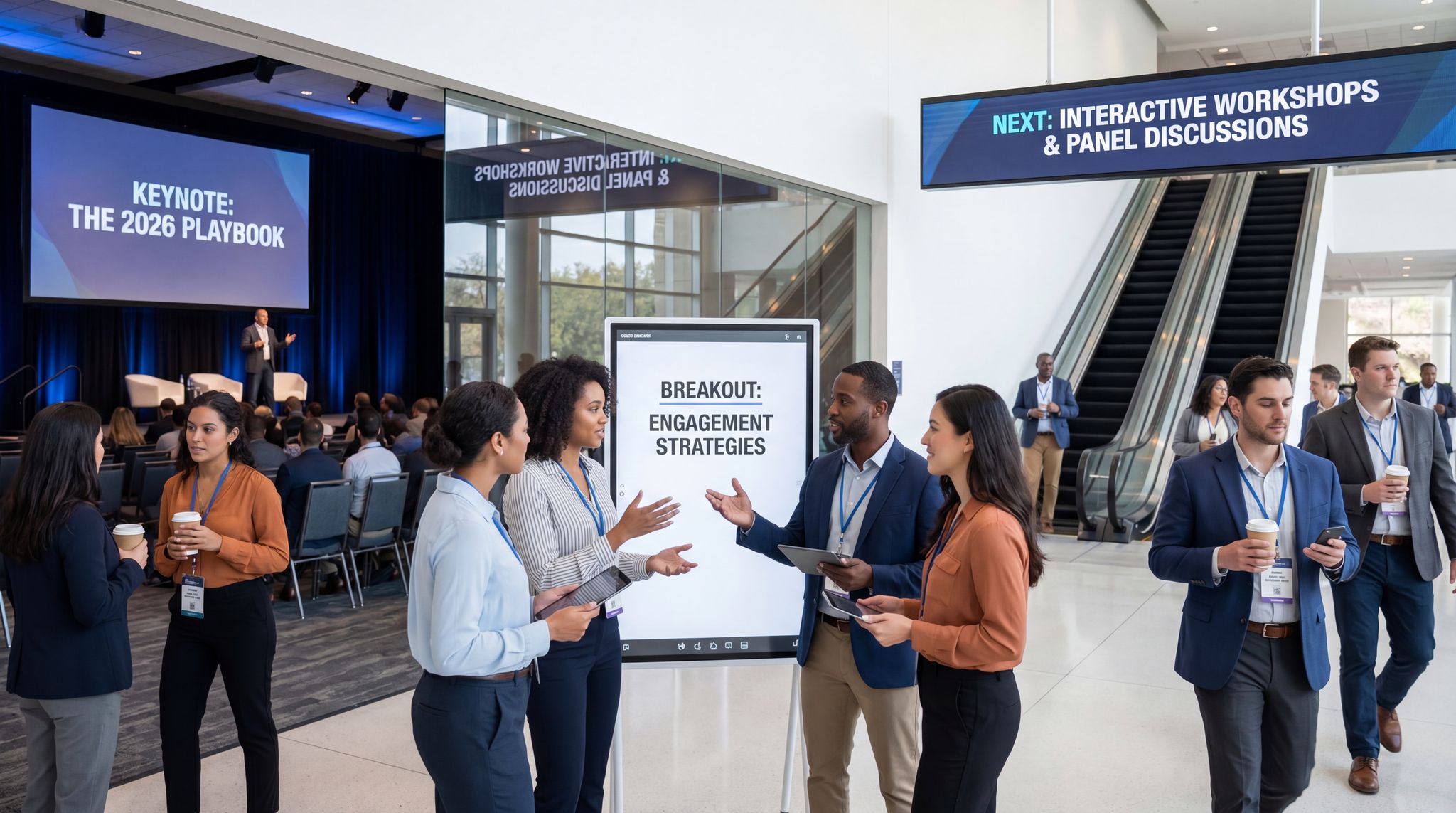
In 2026, crafting a conference agenda is both an art and a science. Effective conference agenda planning keeps attendees engaged from the opening keynote to the final breakout. With attention spans shorter and expectations higher, every element of your schedule must be purposeful. Attendees today—from Gen Z to seasoned pros—demand more than a day of slide presentations. In fact, research from PCMA shows in-person events remain the top choice for engagement, with 40% of Gen Z professionals preferring live gatherings over virtual alternatives. To meet these expectations, planners must design agendas that captivate diverse audiences, balancing inspiration, education, and interaction. This step-by-step playbook will guide organisers through structuring multi-track sessions, mixing keynotes with panels and workshops, and adding interactive elements that maintain energy all day. By drawing on real conference examples and proven techniques, you’ll learn how to create an engaging conference agenda that delights attendees from start to finish.
Step 1: Define Your Conference Objectives and Audience
Start with purpose. Before picking speakers or scheduling sessions, clarify why you’re holding the conference and who it’s for. Every agenda decision should ladder up to your event’s core goals and target audience. For example, a sales kick-off focused on motivation might feature high-energy keynotes and team-building workshops, whereas an academic symposium will lean on research presentations and roundtables. Identify your primary objectives (e.g. training, networking, deal-making, knowledge-sharing) and let these drive the content. Experienced conference planners know that agenda design isn’t one-size-fits-all—it must align with what your attendees value most, a core principle in essential music business conference planning. If the goal is hands-on learning, plan more workshops; if it’s thought leadership, secure visionary keynote speakers.
Know your attendees. Pinpoint the profiles of people you expect: their seniority, experience level, and interests. Are you catering to newcomers in an industry or veteran executives? Understanding this will shape your program’s tone and complexity. Seasoned organisers often develop attendee personas to guide content. For instance, an event for independent creators might include practical panels on monetisation and branding, while a conference for C-suite leaders would feature high-level trend analysis and strategy sessions. Tailoring topics this way makes your agenda immediately more relevant and appealing to those who attend. As noted in comprehensive industry resources, the better you define your audience, the more on-point your program will be, which is a key takeaway when planning a successful music business conference.
Choose a unifying theme. Selecting an engaging conference theme gives your agenda a narrative thread. A strong theme—like “Innovating Green Tech in Asia” or “Future of Financial AI”—helps tie disparate sessions into a coherent story. It provides direction when choosing session topics and signals to attendees what they’ll gain. Use the theme in your marketing tagline and session titles to reinforce cohesion. For example, a theme of “Empowering Independent Artists in 2026” could shape keynotes on new revenue models and DIY marketing. By unifying panels and breakouts under a clear concept, you ensure the event feels like a coordinated and engaging attendee experience rather than a random assortment of talks. An added bonus: a compelling theme can attract sponsors aligned with your core message and make it easier to select keynote speakers who are authorities on the topic.
Turn Fans Into Your Marketing Team
Ticket Fairy's built-in referral rewards system incentivizes attendees to share your event, delivering 15-25% sales boosts and 30x ROI vs paid ads.
Plan for diverse needs. Within your audience, consider sub-groups like first-timers versus alumni, or beginners versus experts. Great agendas offer something for everyone. You might provide introductory 101-level sessions for newcomers while also scheduling advanced deep-dives for veterans. Mark session difficulty levels or tracks clearly (Beginner, Intermediate, Advanced) so attendees can self-select. Also, think about inclusivity—not everyone is extroverted or familiar with conference norms. A simple addition like a “first-timers welcome” orientation can work wonders. One academic conference introduced a first-timer lounge and labelled session levels (101, 201, 301), which dramatically improved newcomer comfort and engagement. Moves like this help new attendees feel they belong from the start, without alienating your regulars. The bottom line: conference agenda planning should account for varying experience levels and learning styles among attendees.
Step 2: Structure Your Conference Tracks and Sessions
Single-track or multi-track? Decide early whether your event will run a single stream for all attendees or split into parallel tracks. Single-track conferences (often <200 attendees) let everyone share the same journey—ideal for tight-knit audiences or executive retreats. Larger conferences or those covering broad topics typically adopt a multi-track schedule, with sessions grouped by theme or audience interest. Multi-track conference schedule design can be complex, but it allows attendees to choose what matters most to them. When going multi-track, define each track with a clear focus (e.g. separate streams for “Technical Deep Dives”, “Business Strategy”, and “Career Development”). Publish track descriptions to guide attendees on which suits their goals. Design tracks with clear audience segmentation—for example, by role (a track for developers vs. one for CEOs) or by organizing specific topic domains effectively. This ensures each participant can find a cohesive content path. Just be careful to balance the quality across tracks; no one should feel they’re in the “overflow” track with second-tier content. If one track has a superstar keynote, give other tracks something special at that time too (or consider having everyone together for that keynote).
Map out the master schedule. Multi-track events require meticulous scheduling to run smoothly. Start by drafting a master conference timeline that includes every session, across every track, for each time slot. This birds-eye view helps you identify conflicts and opportunities. Note down key elements: session titles, formats, speakers, room locations, and capacity. Aim to avoid scenarios where your audience is torn between two very popular sessions at the same time. Stagger headline sessions if possible so people don’t have to choose one and completely miss the other—for example, run an important keynote on its own, with no parallel sessions, to maximize its reach. According to veteran planners, coordinating dozens of panels, workshops, and networking events in a large conference (think Web Summit or SXSW) demands a detailed timeline and careful session sequencing. It’s wise to use conference agenda design software or tools to visualise these parallel tracks and catch issues early. In 2026, many organisers rely on digital scheduling tools—often integrated directly into an event registration platform—that can help automate aspects of multi-track scheduling and prevent double-booking speakers.
Build in buffer time. A common rookie mistake in session scheduling is packing the agenda too tightly. Avoid back-to-back sessions with zero transition time—attendees and speakers need to physically move between rooms, grab a coffee, or simply digest what they heard. Plan a 15-minute break or transition period after each session block, especially when using multiple tracks spread across a venue. This grace period prevents a domino effect of delays if one session runs long. It also encourages spontaneous networking as people mingle in hallways between talks. Many experienced planners schedule short “brain breaks” with music or a quick snack between intense sessions. These buffers keep your carefully timed agenda on track and everyone happier. As a rule of thumb, a 60-minute session might start at 10:00 and end by 10:50, with the next set beginning at 11:00—that 10-minute gap is a simple but effective way to keep the day flowing.
Make navigation easy. If you have multiple tracks and rooms, help attendees navigate. Colour-code your tracks and ensure signage at the venue matches those colours or track names. Provide printed pocket agendas or a mobile agenda app highlighting “You are here” venue maps. List session titles, speakers, and room locations clearly for each time slot. Attendees shouldn’t have to scramble or play guesswork to find their chosen session. Also consider capacity management for popular sessions—if one workshop requires pre-registration due to limited seats, allow attendees to sign up in advance (your conference ticketing software should enable session selection during registration). Communicate any “sold out” sessions or repeat them if there’s excess demand. By organising tracks and spaces thoughtfully, you create a seamless experience instead of a chaotic maze.
Prepare contingency plans. Despite your best planning, conferences can throw curveballs—a speaker misses their flight, a power outage hits one breakout room, etc. Incorporate backup options into your agenda structure. Identify critical sessions (like the only talk on a niche topic or a keynote by a VIP) and have a fallback plan in case they cancel. This could mean having a standby speaker on-call, an alternate panel that can fill in, or at least a facilitated open discussion to occupy the slot meaningfully. Savvy organisers also build a little slack into the schedule for emergencies. For instance, a “floating” staff-led session can be prepared to plug any sudden gaps. It’s also smart to schedule your most important keynote early in the conference rather than at the very end—that way, if a last-day cancellation occurs, it’s less devastating to attendee expectations. By thinking through “what if” scenarios (speaker no-shows, tech failures, overruns), you can adjust on the fly without derailing the entire program. A well-structured agenda isn’t just about the plan A—it also anticipates plan B and C.
Data-Driven Event Marketing
Track ticket sales, demographics, marketing ROI, and social reach in real time. Exportable reports give you the insights to make smarter decisions.
Step 3: Balance Keynotes, Panels and Workshops
Mix up your session formats. A compelling conference agenda offers a healthy mix of session types—it’s the blend of formats that keeps people engaged. Each format has its strengths, so plan a variety: inspiring keynotes, lively panels, hands-on workshops, intimate breakout discussions, and perhaps some creative alternatives (fireside chats, lightning talks, or demos). Too much of any one style can cause fatigue. Even if your event is primarily talks, find opportunities for interaction. For example, after a long morning keynote, follow up with a panel or Q&A to change the pace. Or break up a string of technical panels with a short “lightning talk” session where several speakers deliver rapid-fire insights in 5–10 minutes each. The goal is to cater to different learning preferences. Some people love listening to visionary speeches, while others learn best by doing or by dialoguing with peers. By balancing formats, you’ll create a richer experience and maintain audience attention.
Set piece keynotes. Keynotes and plenaries are typically the tent-poles of your agenda—the moments when everyone is in the room together. Use them strategically: the opening keynote should energise and set the tone, and a closing keynote can leave a lasting inspiration. Keynotes often feature industry leaders or big-name speakers who draw attendees. Make sure to slot them at times when the maximum number of attendees are present (usually first thing in the morning, or at the end of day when people reconvene). Keep keynotes concise and impactful—30 to 45 minutes is usually ideal, with 15 minutes for audience Q&A if the format allows. Many conferences in 2026 are moving away from 60+ minute monologues; even famous TED talks cap at 18 minutes to maximise impact. If you do have a longer keynote, ensure the content justifies it (e.g. a major product announcement or research reveal). Always brief your keynote speakers on the audience makeup and desired takeaway, so their message aligns with your objectives. And have a skilled MC or moderator to introduce them and facilitate any post-talk discussion. A well-executed keynote can frame the rest of the day and give attendees a common talking point, so choose your keynote topics and speakers carefully according to your theme.
Ready to Sell Tickets?
Create professional event pages with built-in payment processing, marketing tools, and real-time analytics.
Dynamic panels and presentations. Panel discussions are a staple of conferences—they offer multiple perspectives on one stage and can be very engaging if done right. To make panels work, limit speakers (3–4 panelists plus a moderator is ideal; more than that and it gets unwieldy). Choose diverse panelists who will bring genuinely different viewpoints or expertise, rather than five people who all say the same thing. Coach your moderator to keep the conversation focused, include the audience (e.g. take a couple of audience questions or do a quick show-of-hands poll mid-discussion), and tactfully intervene if anyone dominates. Vary the panel format occasionally—for example, try a “fireside chat” with just one or two guests in a more interview-style setting for variety, or a “debate” format panel where speakers take opposing stances on an issue. Traditional presentations (one speaker with slides) are still common for breakout sessions or case studies; just ensure those presenters are well-prepared to be concise and engaging. Encourage them to tell stories or share data visuals rather than reading bullet points. And whenever possible, incorporate a short Q&A at the end of panels and presentations—even 5 minutes of audience questions increases engagement and gives speakers feedback on what resonated.
Hands-on workshops and breakouts. Workshops, training sessions, and small-group breakouts provide the in-depth, interactive learning experiences that many attendees crave. In fact, 68% of attendees report higher satisfaction with events that include interactive workshops. These sessions let participants roll up their sleeves—whether it’s a coding workshop, a live demo, a role-playing exercise, or a discussion-based seminar. When planning workshops, limit the size (somewhere between 20–50 people, depending on format) to ensure everyone can participate. You might require pre-registration for workshops to manage capacity and materials. Allocate more time for workshops than a typical talk—often 60 to 90 minutes—since activities and discussion take longer than a lecture. Breakout sessions can also be less formal: think roundtable discussions where an expert facilitates conversation at each table, or “Birds of a Feather” meetups where attendees interested in the same niche topic meet to share knowledge. These kinds of sessions are invaluable for networking and peer learning. Place workshops and roundtables strategically in your schedule, often in parallel with each other or during afternoons when people are keen to move around and talk. And equip rooms appropriately (e.g. tables for group work, flip charts or whiteboards, hands-on supplies if needed). By investing in some interactive breakout content, you’ll appeal to learners who thrive on participation and ensure your event isn’t all talking heads.
Innovative session formats. Don’t be afraid to get creative with your agenda, especially if it fits your audience culture. Some forward-thinking conferences incorporate “unconference” sessions—blocks where attendees propose topics on the spot and self-organise into discussion groups. This can be done via a bulletin board or event app where participants post ideas and form ad-hoc sessions, making attendees true co-creators of content. Another idea gaining traction is the “lightning talk” round: schedule a 30-minute slot where 5–6 speakers each get 5 minutes to present one idea or project, often with auto-advancing slides—it’s fast-paced and keeps the audience alert. For networking-focused gatherings, you might include a speed networking session (short, timed one-on-one conversations that rotate) to ensure people make new contacts. Or consider experiential formats: for example, at Salesforce’s Dreamforce conference, they’ve run “campfire sessions”—casual small-group talks-in-the-round, often following a big keynote, to allow deeper dialogue in an intimate setting. These non-traditional formats can inject fun and memorability into your program when aligned with your event’s purpose. Always pilot test a new format in a smaller setting to iron out kinks, and clearly explain it to attendees so they know what to expect. Used sparingly, creative session designs will set your conference apart and keep the agenda fresh.
To visualise how different session formats can play a role, consider the typical characteristics of each:
| Session Format | Typical Length | Best For |
|---|---|---|
| Keynote / Plenary | 30–60 minutes | Inspiration, big-picture trends for all attendees |
| Panel Discussion | 45–60 minutes | Exploring diverse perspectives on a topic |
| Fireside Chat | 20–30 minutes | In-depth insight via an interview with a VIP |
| Workshop | 60–90+ minutes | Hands-on skill-building or deep problem-solving |
| Breakout Session | 30–60 minutes | Niche topics, case studies, or group discussions |
| Lightning Talks | 5–10 minutes each | Quick sharing of ideas to energise the audience |
| Q&A / AMA | 15–30 minutes | Audience-driven question sessions with experts |
Mix these formats in your agenda to maintain a dynamic flow. For instance, a morning might start with a 45-minute keynote, then a 60-minute panel, followed by three 30-minute breakout talks before lunch. After lunch, perhaps a 60-minute interactive workshop, and finally a 30-minute fireside chat to close—this kind of variety keeps people interested and accommodates different content types.
Step 4: Add Interactive Elements to Engage Attendees
Encourage audience participation. Modern conference attendees don’t want to sit quietly for hours—they want to be part of the conversation. Incorporate interaction wherever possible. One of the simplest conference session planning tips is to use live audience polls during sessions. Polling breaks up monotony and gives real-time insight into attendee opinions or demographics (“Let’s vote on which challenge is most pressing—results on screen now”). In 2026, live polls are used by 71% of event organizers, and approximately 63% report that polls boost attendee engagement by about 30%. It’s easier than ever to do this: many event tech platforms have built-in polling or you can use dedicated apps (like Slido, Mentimeter, etc.) that attendees access on their smartphones. Similarly, enable Q&A channels beyond just passing a mic in the room—use an app or SMS-based Q&A where attendees can submit questions digitally and upvote the ones they like. This often leads to more diverse questions (including from shy participants who might not stand up at a microphone). During panel sessions, consider dedicating a segment where you take questions solely from the audience or even invite an audience member on stage for a “hot seat” query to the panel. When attendees feel their voice is heard, they are far more invested in the content.
Grow Your Events
Leverage referral marketing, social sharing incentives, and audience insights to sell more tickets.
Leverage technology for interaction. Aside from polling and Q&A tools, look at other tech that can make sessions more interactive. For example, some conferences use second-screen apps that push session content, allow note-taking, and prompt feedback in real time. Others deploy ARS (Audience Response Systems) for quizzes or knowledge checks during educational sessions. Gamification is a big trend for 2026—you might implement a points system via the event app, where attendees earn points for responding to polls, asking questions, or visiting expo booths, with a leaderboard and prizes to motivate participation. If your conference has an exhibition component, equip exhibitors with modern engagement tech too (e.g. digital scavenger hunts or trivia games at booths) to pull attendees into active interactions. Be sure to explain any tech tools clearly at the start of the event or session (“Download the conference app to play along with our live quiz!”) so that uptake is high. With the right tools, even a traditionally passive keynote can transform into a two-way experience—imagine a keynote speaker posing a challenge and attendees submitting ideas via the app that get discussed on stage in real time. By weaving interactive technology into sessions, you’ll keep energy levels high and give attendees a stake in the content.
Make it fun and engaging. Not all interactivity has to be high-tech—human-focused activities work equally well. Plan some agenda segments that get people moving, talking, or thinking in new ways. For example, directly after lunch (when folks tend to be sluggish), avoid a long speech and instead schedule something participatory. You could do a guided stretch break or a 5-minute mindfulness exercise led by a local instructor to re-energise the crowd. Some conferences send attendees on a short networking walk: pair people up randomly and send them for a 10-minute stroll to discuss a topic, then return for the next session—a strategy that gets blood flowing and sparks new connections. Even simple tricks can help: one planner literally had attendees swap seats after lunch to encourage new conversations and physical movement. The environment can be tweaked for interactivity too. Consider transforming the room during a long break—one event changed the afternoon room setup with new table colours and fresh music, which immediately lifted the atmosphere. You might place conversation-starter questions on luncheon tables or host a “topic of the day” cafe during breaks where attendees gather by interest area. The goal is to avoid any dull moments and keep people actively engaged throughout the day. Each interactive element, no matter how small, helps maintain momentum and prevents the dreaded mid-conference energy dip.
Foster networking and community. Remember that much of a conference’s value comes from attendees interacting with each other, not just with speakers. Your agenda should facilitate this peer-to-peer engagement. Schedule dedicated networking sessions or open time in the program—for instance, a 30-minute coffee break in the expo hall with no concurrent content, or an hour-long cocktail reception at day’s end. You can make networking more structured by introducing activities: speed networking rounds, “mentorship meet-ups” pairing senior and junior attendees, or topic-specific networking circles (e.g. a table for fintech, a table for healthtech, etc., during a luncheon). Encourage speakers to stick around and mingle after their sessions if possible; attendees love the chance for informal follow-up questions. If your event is multi-day, the first evening might include a casual mixer or an off-site social event to build community early. Also consider leveraging referral programs and social media to get attendees interacting before they even arrive—for example, Ticket Fairy’s referral tools let attendees invite colleagues, boosting both engagement and ticket sales. On-site, use a live social media wall to display attendee tweets or photos using your event hashtag, which nudges people to share their insights and see themselves as part of a community. By making networking an integral part of the agenda (not just an afterthought), you transform your conference from a series of lectures into a hub of lasting professional relationships.
Step 5: Plan the Timing and Flow of Your Agenda
Craft a logical flow. A well-designed agenda isn’t just about individual sessions—it’s about the journey you create through the day (or multiple days). Pay attention to the order of sessions and how one leads into the next. Typically, you want to start each day strong: lead with a marquee session like a keynote or big panel while everyone is fresh. Later in the morning, attendees can handle detailed breakouts or technical talks, then everyone regroups for lunch. Afternoons require strategic planning due to the infamous “post-lunch slump.” Schedule high-energy or interactive content after lunch, such as a hands-on workshop, a demo, or a charismatic speaker who involves the audience. Lighter or more casual sessions (like a panel with some humor, or a fireside chat) can work well in the late afternoon when attention spans dip. If your conference runs into the early evening, consider wrapping the formal content by around 5:00 PM and then transitioning to a networking reception or entertainment—attendees appreciate time to decompress and socialise after a packed day.
Use time blocks wisely. Common session lengths (also reflected in our earlier table) are 30, 45, or 60 minutes. Avoid anything much longer without a break—two-hour sessions will exhaust people unless they’re highly interactive. For a full-day agenda (e.g. 9:00–17:00), a typical flow might be:
- 08:00–09:00 – Registration & Welcome Coffee
- 09:00–09:45 – Opening Keynote (all attendees)
- 09:45–10:00 – Transition Break
- 10:00–10:45 – Breakout Session Block 1 (3 parallel sessions)
- 11:00–11:45 – Breakout Session Block 2 (3 parallel sessions)
- 11:45–13:00 – Lunch Break (with optional sponsor demos)
- 13:00–13:45 – Interactive Workshop or Panel (all attendees together, to re-energise)
- 13:45–14:00 – Energiser Activity (quick stretch or game)
- 14:00–14:45 – Breakout Session Block 3
- 15:00–15:30 – Afternoon Coffee Break & Networking
- 15:30–16:15 – Breakout Session Block 4
- 16:30–17:00 – Closing Keynote or Panel (all attendees)
- 17:00–18:00 – Networking Reception (snacks & drinks)
This is just an example, but notice how content is interspersed with sufficient breaks and variety. There’s a logical progression: high-level inspiration in the morning, detailed learning mid-day, interactive and networking elements in the afternoon, and a unifying closing. When creating your timeline, also be mindful of practical needs: build in time for registration/check-in at the start (attendees might trickle in over 30–60 minutes), buffer time for meals (people often take a bit longer to settle back after lunch), and transitions if the venue is large. Clearly communicate the timing to both attendees and speakers—publish start and end times for each session, and stick to them. A visible countdown timer or a dedicated stage manager can help keep sessions on schedule.
Avoid schedule overload. It may be tempting to fill every minute with content, but attendees can only absorb so much. Cramming too many sessions can lead to diminishing returns as fatigue sets in. It’s better for attendees to fully engage in a slightly lighter schedule than to tune out during an overstuffed one. Provide some “white space” in the agenda—whether it’s a longer coffee break, a 1.5-hour lunch instead of 1 hour, or even an optional early-morning activity like yoga for those who want it (others can sleep in). These unscheduled periods give people a chance to catch their breath, have impromptu meetings, or visit the expo hall without feeling rushed. Remember, quality beats quantity when it comes to content. As 2026 conferences emphasise experience over sheer volume of information, curating a balanced agenda will leave attendees with a better impression. One approach is to solicit attendee feedback on the schedule in advance—for example, release a draft agenda and allow registered attendees to vote on which potential workshop topics they find most interesting, and only run the top choices. This ensures you focus on content that matters and trim the rest. It also signals to attendees that you respect their time and attention.
Mind the post-lunch slump. Nearly every conference planner battles the dip in energy that hits after lunch. Fortunately, there are proven strategies to combat the afternoon slump. First, schedule the right kind of session for early afternoon. A worst-case scenario is a dense, hour-long slide presentation in a dark room right after a heavy meal—half your audience might nod off. Instead, opt for something active or novel at 1–2 PM. This could be a panel with an entertaining moderator, a hands-on exercise that forces people to participate, or even a surprising element like a live performance or tech demo. One events industry article even suggests planning sessions with no PowerPoint and no videos in that slot to keep the room bright and minds alert. If you must include a talk then, pick an especially dynamic speaker who can hold attention without relying on slides.
Second, look at menu and wellness factors. Work with your catering team to provide a light, brain-healthy lunch (lean proteins like chicken or fish, plenty of vegetables, whole grains). Avoid an overload of simple carbs that cause sleepiness, and save sweets for afternoon tea time. Also consider skipping alcohol service at lunchtime; while a glass of wine might please a few, it will send many into nap mode, so it is better to reserve drinks for an evening reception. Ensure coffee, tea, and water are abundantly available to keep everyone hydrated and alert through the afternoon. You can even place peppermint candies or rosemary sprigs at tables, as these aromas are known to stimulate alertness. Small details like room temperature matter too: keep the room slightly cool after lunch so people don’t get too cozy.
Third, explicitly acknowledge the energy dip and plan an intervention. Kick off the after-lunch session with a quick energiser: play upbeat music as people enter, do a humorous quiz or a giveaway to perk everyone up, or lead a 3-minute stretch. One conference changed all the tablecloths and room decor during the lunch break—when attendees walked back in to a vibrant new color scheme and music, it reset the mood completely. Another idea is to encourage movement: for instance, instruct everyone to stand up and introduce themselves to someone new for a couple of minutes—it’s simple, but it resets the brain for learning. Even scheduling a walk or fresh-air break as mentioned earlier can be invaluable. The key is not to carry on business-as-usual immediately after lunch; show attendees you understand the struggle and actively work to make that segment engaging. By combining content strategy, catering, and interactive tricks, you can turn the post-lunch lull into a highlight of the day rather than a low point.
Keep the day on schedule. Time management during the event is just as important as the planning. Assign staff or session moderators to be timekeepers—they should give presenters gentle warnings (e.g. holding up “5 minutes left” cards) and step in if a session is threatening to go overtime. If one session does end late, try to adjust subsequent breaks or make on-the-fly announcements so attendees know where to be and when. A digital event schedule display or conference app can be very useful here, pushing real-time updates if rooms or times change. It’s also crucial to communicate clearly to attendees: publish the agenda in advance on your website and the event app, include it in reminder emails (“Download the agenda and plan your day”), and hand out printed schedules on-site if appropriate. Attendees appreciate knowing what’s next and where they should go—it reduces confusion and stress, allowing them to focus on the content. At the start of the day or during opening remarks, do a quick “housekeeping” review of how the day will run (“We’ll have two short breaks and be back here by 4 PM for our final keynote”). This sets expectations. By running a punctual, well-orchestrated program, you demonstrate professionalism and respect for everyone’s time. Plus, staying on track means no one misses out on sessions because of avoidable delays.
Step 6: Engage Hybrid and Remote Attendees
Design for a hybrid world. Many conferences in 2026 have an online component—whether a fully hybrid event with simultaneous in-person and virtual audiences, or a digital extension (like recorded sessions made available on-demand). If your conference is hybrid, agenda planning must account for two audiences: those in the room and those tuning in remotely. Start by deciding which sessions will be live-streamed or interactive for virtual participants. Keynotes and main stage panels are usually streamed to maximize reach. Ensure scheduling considers time zones of your remote audience—for a global virtual crowd, you might schedule the headline keynote at a mid-point (e.g. late morning) that’s accessible for multiple regions, or even repeat a popular session at a different time for an overseas audience. Clearly label on the agenda which sessions are “virtual” or “available online” so remote attendees know when to log in.
Keep virtual attendees engaged. Simply broadcasting a feed of in-person sessions isn’t enough—remote viewers need tailored engagement. Assign a dedicated virtual MC or moderator who interacts with the online audience during the event. This person can welcome virtual attendees, keep an eye on chat questions, and even interview speakers behind the scenes exclusively for the online stream during breaks. Some events set up a “virtual studio” that fills the gaps when in-person attendees are networking; for instance, during a 30-minute coffee break, the online stream might show interviews with exhibitors or a mini-session just for virtual viewers, so they aren’t left watching an empty podium. Encourage virtual attendees to participate in polls and Q&A just like those on-site—many hybrid event platforms allow merging of audience input so the speaker sees one combined list of questions. If online questions can’t be addressed live, have moderators answer them in chat or follow up later. Also consider networking for remote participants: perhaps virtual roundtables or breakout chats after a session where they can discuss what they heard. The aim is to avoid a two-tier experience; remote attendees should feel equally valued, not like passive observers. When done well, hybrid engagement can significantly broaden your event’s impact. For example, at a recent hybrid forum in The Hague, there were 65 people in the room and 160 online, yet both groups actively engaged in the discussion—a result of thoughtful facilitation that bridged audiences.
Provide on-demand content. One benefit of our digital age is the ability to record sessions and repurpose content. Plan to record key sessions (with speaker permission) and offer those videos to attendees after the event. This adds value—attendees can catch any talks they missed due to track conflicts, and remote attendees can watch sessions that weren’t live-streamed. It’s also a buffer for technical issues: if a live stream fails for a virtual audience, you can promptly provide the recording. When building the agenda, think about scheduling recording-friendly sessions earlier in the conference if possible, so you might even play a recording of a Day 1 session during a Day 2 lunch break for those who missed it (or push it out as overnight content for different time zones). On-demand availability also means you should promote a content library post-event—many conferences see hundreds or thousands of additional views on session videos in the weeks after, extending the life of your agenda. Just ensure your in-person attendees don’t decide to skip too much live content assuming they can watch later—emphasize that the value of being there in person includes the networking and live Q&A that videos can’t capture. Some events combat this by offering certain “in-person only” experiences (like exclusive workshops or closed-door roundtables not recorded) to maintain the FOMO and incentive to attend physically, while still leveraging recordings for broader reach.
Accessibility and inclusion. Engaging diverse audiences also means making your content accessible. Integrate accessibility considerations into your agenda planning: offer closed-captioning on live streams and in-room projection for those with hearing impairments (many hybrid event platforms now support real-time captioning or sign language interpretation feeds). Provide translations or subtitles if you have an international audience and multilingual speakers. If some attendees are visually impaired, ensure speakers verbalise key points on slides and consider offering slide decks in advance for screen readers. Schedule regular breaks for everyone’s comfort, and communicate clearly about quiet spaces or prayer rooms if needed. These elements may not seem directly related to “agenda excitement,” but they are crucial for ensuring all attendees can fully participate and remain engaged. An attendee who struggles to follow along due to an avoidable accessibility issue is an attendee likely to disengage. In 2026, audience expectations around inclusivity are higher than ever—for instance, many events now have a brief “access check” at the start of sessions (“Can everyone see the screen or access the link? Let us know if not.”). Building this awareness into your programming approach demonstrates respect and enhances overall trust in your event. When people feel considered, they engage more.
One practical tip: include a question in your registration process about any special requirements (dietary, mobility, hearing/vision needs)—a robust event registration platform allows custom questions so you can gather this info. Then, adapt your agenda or logistics to accommodate those needs (e.g. reserve front-row seating for those who need to lip-read or see interpreters, schedule extra break time for those who may need it). By designing your conference program to be hybrid-friendly and accessible, you not only expand your reach but also earn goodwill and recommendation from attendees who see your event as welcoming to all.
Frequently Asked Questions
What is multi-track conference scheduling?
Multi-track conference scheduling divides an event into parallel sessions grouped by specific themes, audience roles, or difficulty levels. This structure allows attendees to choose content tailored to their goals. Planners use master timelines and digital scheduling tools to manage complex multi-track designs and avoid double-booking speakers.
How do you plan a conference agenda?
Plan a conference agenda by first defining your core objectives and target audience to establish a unifying theme. Next, structure your master schedule with a mix of keynotes, panels, and interactive workshops. Finally, build in 15-minute buffer times between sessions and incorporate engaging activities to maintain audience energy throughout the day.
Why are interactive workshops important for conferences?
Interactive workshops provide hands-on, in-depth learning experiences that significantly boost attendee satisfaction. Research shows that 68% of participants report higher satisfaction with events featuring interactive workshops. Limiting these sessions to 20-50 people allows for active problem-solving, live demonstrations, and valuable peer-to-peer networking that traditional lectures cannot offer.
How do you beat the post-lunch slump at a conference?
Combat the post-lunch energy dip by scheduling highly interactive, active sessions between 1:00 PM and 2:00 PM instead of traditional slide presentations. Planners should serve light, protein-rich meals, avoid alcohol, and incorporate quick energizers like stretching, upbeat music, or networking walks to reset attendees’ focus and maintain momentum.
What is a lightning talk at a conference?
A lightning talk is a fast-paced conference session where multiple speakers each present a single idea or project within a strict 5 to 10-minute timeframe. These rapid-fire presentations often use auto-advancing slides to keep the audience alert, inject high energy into the agenda, and quickly share diverse insights.
How do live polls increase conference attendee engagement?
Live polls transform passive listeners into active participants by allowing them to vote and share opinions in real-time using their smartphones. Currently used by 71% of event organizers, polling breaks up presentation monotony and has been shown to boost overall attendee engagement by approximately 30%.
How do you keep virtual attendees engaged during a hybrid conference?
Keep virtual attendees engaged by assigning a dedicated online moderator to interact with the remote audience, monitor chat questions, and conduct exclusive behind-the-scenes interviews during breaks. Integrating digital polls and Q&A features ensures remote participants feel equally valued and actively involved in the live event content.
How long should a conference keynote speech be?
A conference keynote speech should ideally last between 30 and 45 minutes to maximize audience impact and maintain attention spans. Planners often include an additional 15 minutes for audience Q&A. Modern conferences avoid hour-long monologues unless revealing major research or significant product announcements that justify the extended time.